FxFoto

FxFoto
License:
Trial version
Language:
English
Developer:
OS:
Win98/Me/2000/XP/Vista
Updated:
See detailed info

Softonic review

James Thornton

“Manage your photo collection more quickly”

by James Thornton about FxFoto

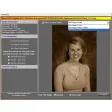
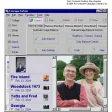
When you first start up FxFoto it searches your entire hard drive for images and imports them into a handy thumbnail viewer. From there it’s as easy as a drag-and-drop operation to add pictures to your collage. You can also import you pictures directly from your scanner or digital camera.

If some of the pictures need a little tweaking, FxFoto provides you with all of the basic image adjustment controls and also has an impressive collection of filters which are all easily accessible from the well laid-out interface. You can add frames to individual pictures in your collage or to the entire creation.

FxFoto can also be used to make scrapbook pages and slide shows and has a great number of ways to publish your creations including, email, print, web sites and slide shows. This makes a brilliant for non-techy users or even small kids to use. There are a few more advanced photo management tools out there, but FxFoto provides a cheap alternative that is more than equal to most tasks.

Pros
  • Easy to use, quick photo importing from scans or digicam
Cons
  • Lacks advanced photo manipulation tools
Download FxFoto 6.0.070

FxFoto is virus free

We have analyzed the latest version of FxFoto with 30 antivirus engines and it is virus free. See analysis results.

TESTED VIRUS FREE - Softonic GUARANTEED

Developer's description

FxFoto provides a single tool to organize all of your photos. The program allows you to archive, enhance, print, email, upload, share and create collages, scrap books and slide shows with your digital photos.

Some of FxFoto's many features include automatically locating all your current photos, direct import from virtually any digital camera or card reader, visual grouping and organizing photos, and a host of processing functions to spruce up pictures, including red eye correction, lighting and image enhancement, and blemish removal.

The Deluxe Edition also distributes photos or slide shows by burning them directly onto CD-ROM. It also allows users to create multi-picture collages and slide shows by simply dragging photos onto the presentation page and clicking to apply frames, special effects, dialog balloons and other annotations.

Review and rate FxFoto

Your avatar

Your opinion is important.
Help other users - be the first to review this program.

Review
  1. Maximum: 75 characters

  2. See example

Pros and Cons
Rate
  1. What rating would you give FxFoto?

    You need to fill in all fields

    • Usability:

      Not rated
    • Stability:

      Not rated
    • Installation:

      Not rated
    • Functionality:

      Not rated
    • Appearance:

      Not rated
    • Overall rating:

      Not rated
  2. Don't worry, we won't make your email address public.

You're not allowed to share serial numbers, cracks, etc. or link to pages that contain them. If you do, your user account will be deleted, your IP address logged and legal action will be taken.

Get started - just ask a question!

Write a title for your question.

Alternativesto FxFoto

  • In English:
    Photo To Sketch
    Photo To Sketch

    Convert photos into art

    Softonic rating:
    • 8/10
    User rating:
    • 6/10
  • Free:
    Rotation Pilot
    Rotation Pilot

    Easy fix for visual slopes on your photos

    Softonic rating:
    • 9/10
    User rating:
    • 8/10
Compare with FxFoto
Download rank: General

156 of 136

Softonic rating:
  • Good
  • 7/10
User rating: (5 ratings)
  • Not bad
  • 6/10
Your rating:
Your rating
  • 0

Review and rate this program

Blog posts about FxFoto

More

Top Downloads: General

  • United States
  • Global

  1. Great freeware image editor and optimizer

Reviews of FxFoto in other languages